What is MapReader?
MapReader is an open-source python library for exploring and analyzing images at scale.
It contains two different pipelines:
Classification pipeline: This pipeline enables users to fine-tune a classification model and predict the labels of patches created from a parent image.
Text spotting pipeline: This pipeline enables users to detect and recognize text in map images.
MapReader was developed in the Living with Machines project to analyze large collections of historical maps but is a generalizable computer vision tool which can be applied to any images in a wide variety of domains.
Origin of MapReader
MapReader was a groundbreaking interdisciplinary tool that emerged from a specific set of geospatial historical research questions. The classification pipeline was inspired by methods in biomedical imaging and geographic information science, which were adapted for use by historians - for example in our Journal of Victorian Culture and Geospatial Humanities 2022 SIGSPATIAL workshop papers. The success of the tool subsequently generated interest from plant phenotype researchers working with large image datasets and so MapReader is an example of cross-pollination between the humanities and the sciences made possible by reproducible data science.
Since then, MapReader has expanded to include a text spotting pipeline, which enables users to detect and recognize text in map images. These text spotting elements of MapReader were inspired by the work completed during Machines Reading Maps (AHRC grant AH/V009400/1), whose team members at the University of Minnesota developed the first end-to-end text spotting pipeline used to find text on maps: mapKurator.
What is unique about MapReader?
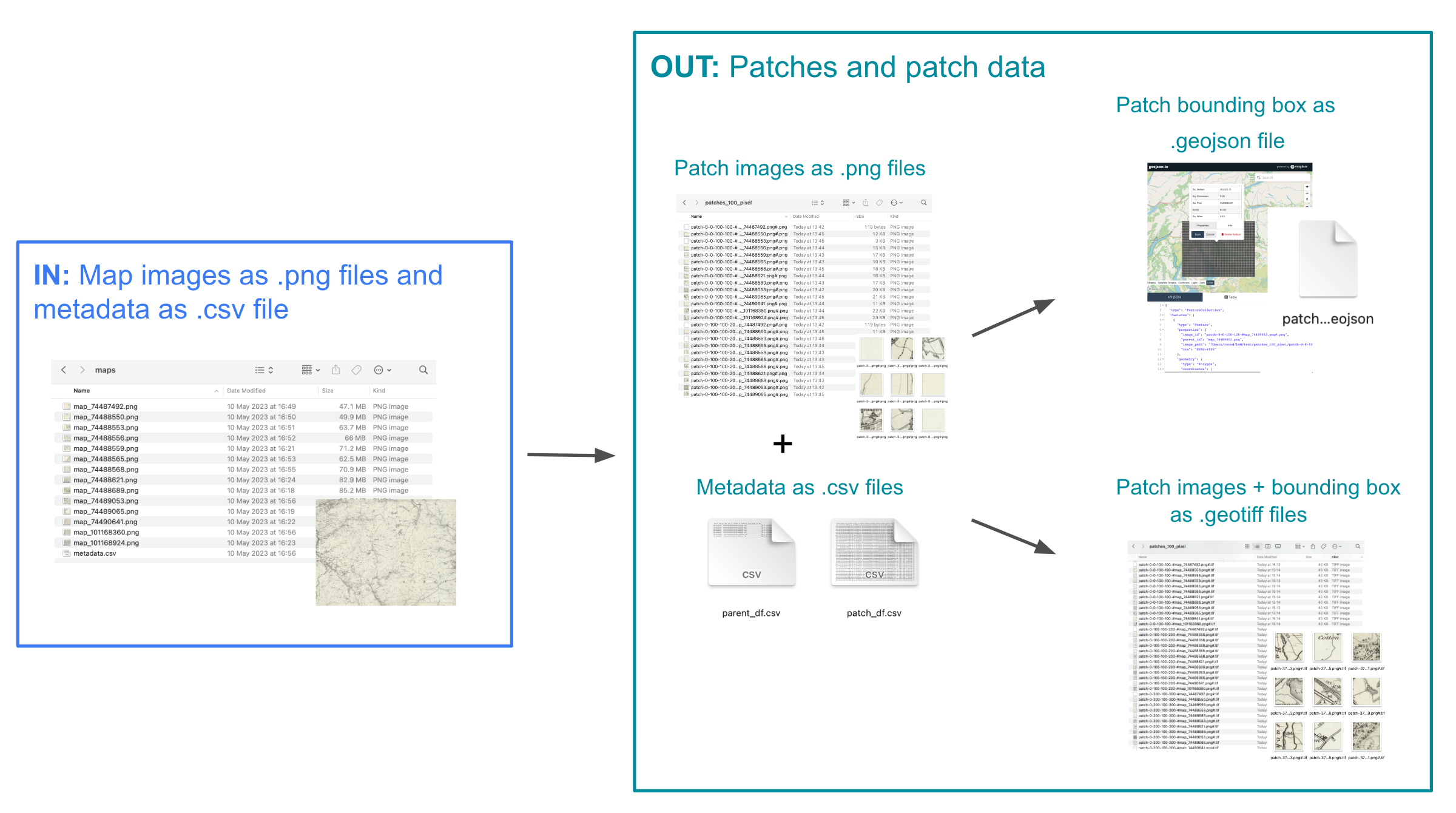
MapReader is based on the ‘patchwork method’ in which whole map images are sliced into a grid of squares or ‘patches’:
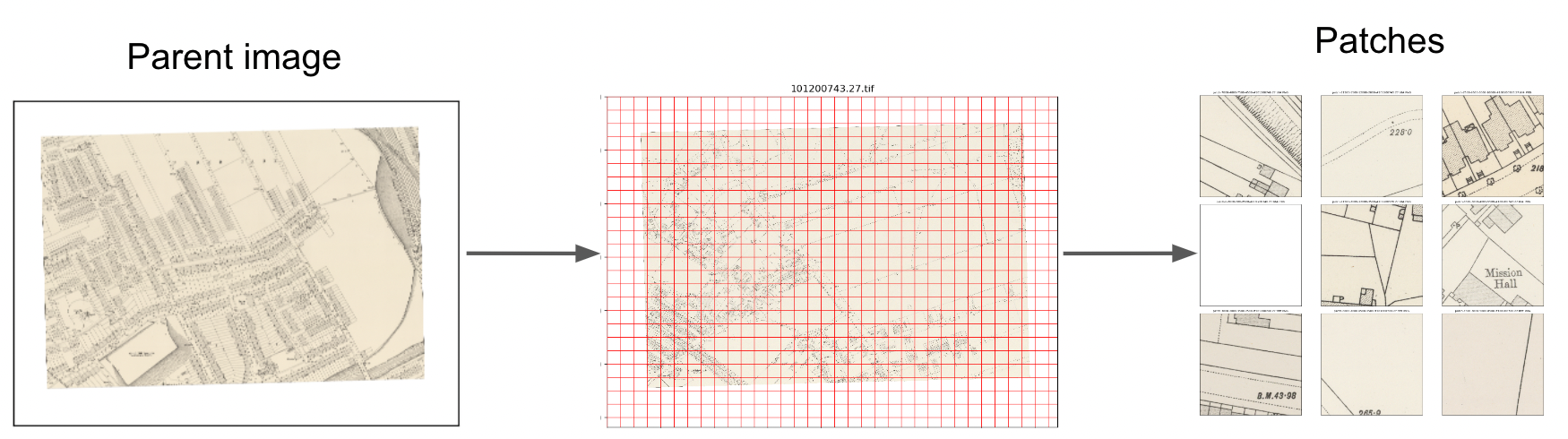
This unique way of pre-processing map images enables the use of image classification to identify visual features within maps, in order to answer important research questions.
What is ‘the MapReader pipeline’?
MapReader contains two different pipelines:
Classification pipeline: This pipeline enables users to fine-tune a classification model and predict the labels of patches created from a parent image.
Text spotting pipeline: This pipeline enables users to detect and recognize text in map images.
Classification pipeline
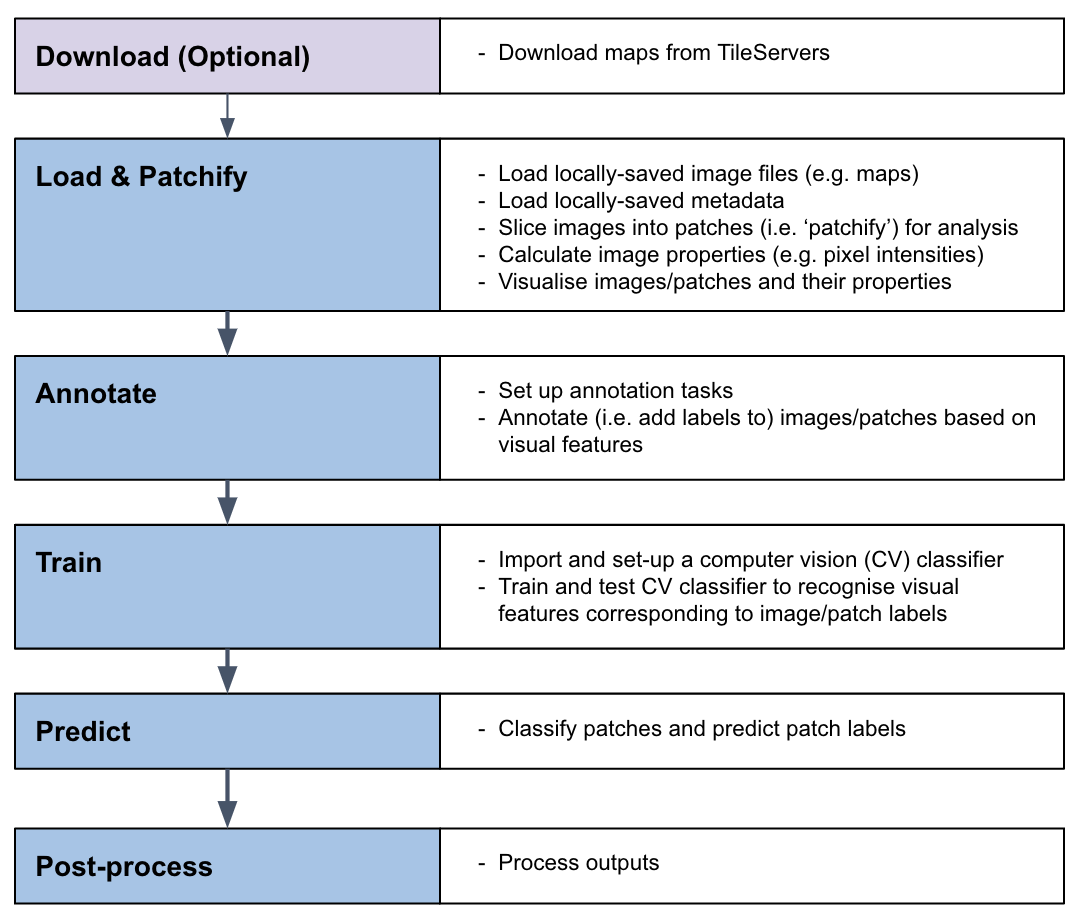
The classification pipeline was the original ‘MapReader pipeline’. It enables users to train a classification model to recognize visual features within map images and to identify patches containing these features across entire map collections:
Text spotting pipeline
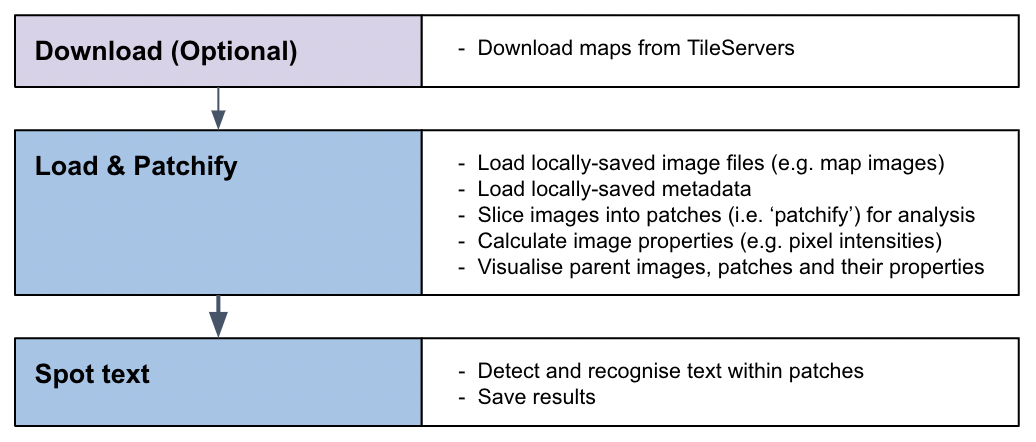
The MapReader text spotting pipeline enables users to detect and recognize text in map images using a pre-trained text spotting model:
What kind of visual features can MapReader help me identify?
In order to train a CV classification model to recognize visual features within your maps, your features must have a homogeneous visual signal across your map collection (i.e. always be represented in the same way).
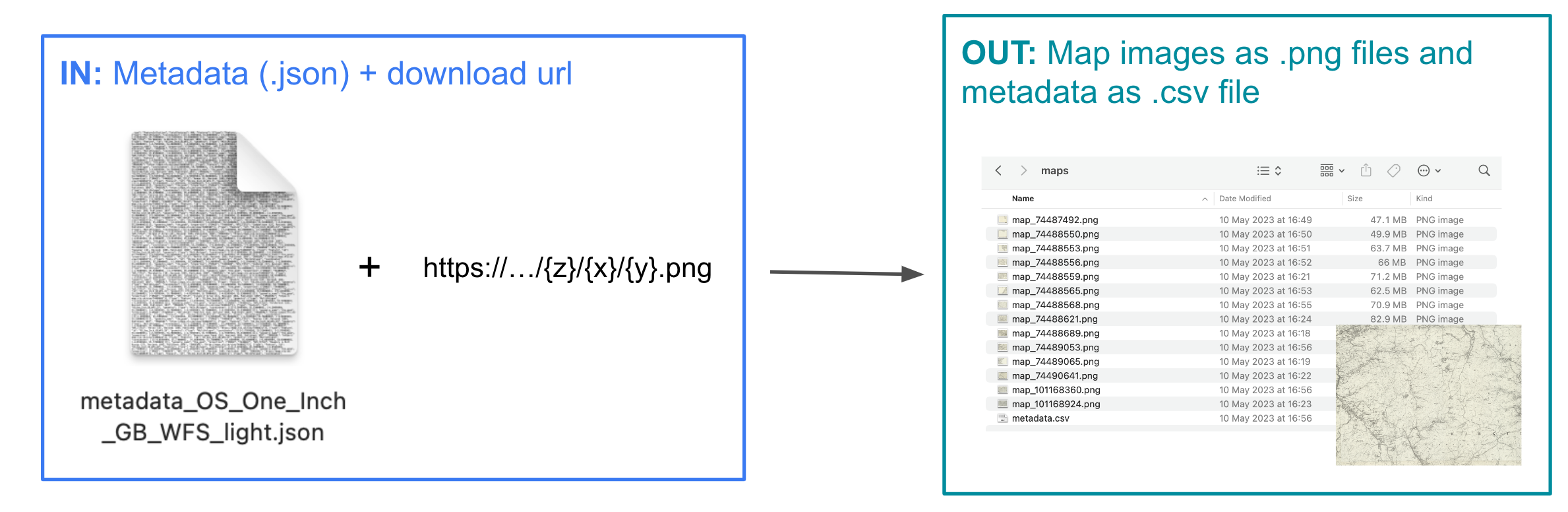
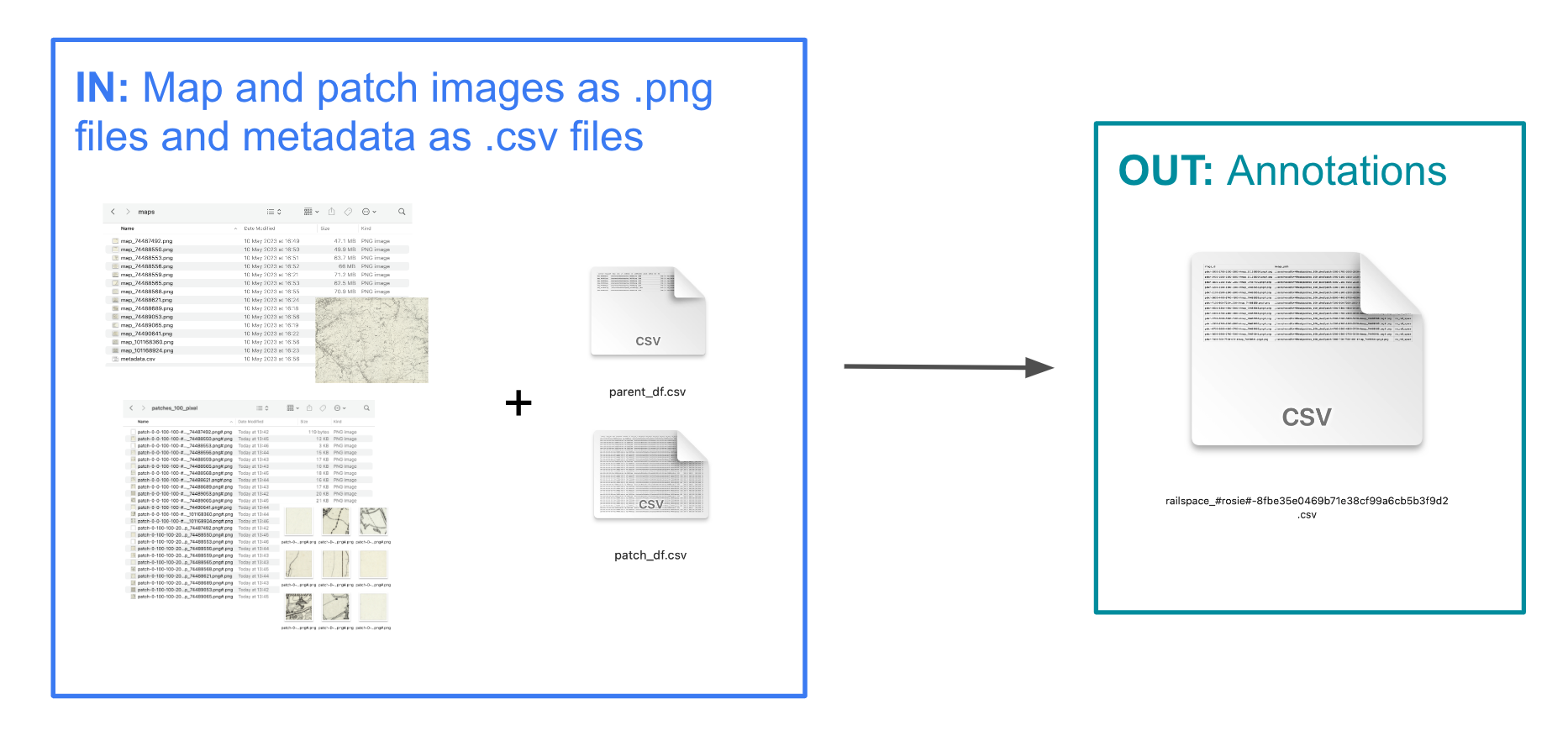
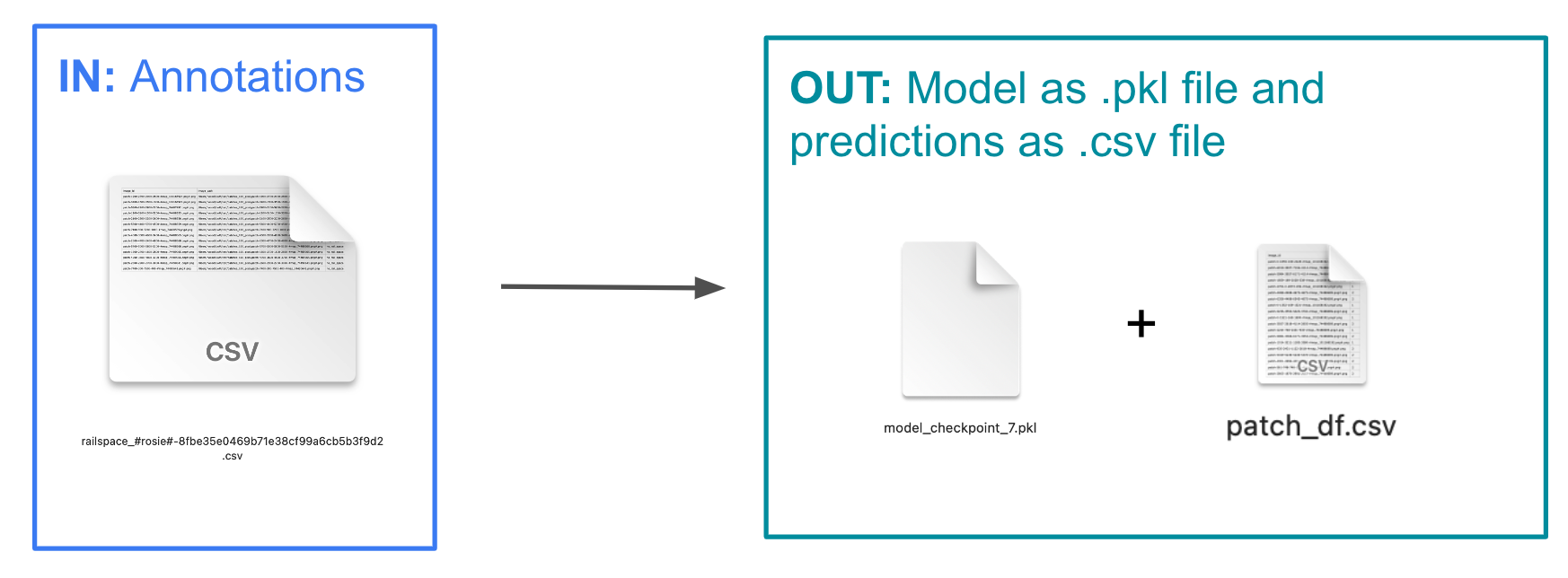
What are the inputs and outputs of each stage in the MapReader classification pipeline?
Download
Load
Annotate
Classify (Train and Predict)
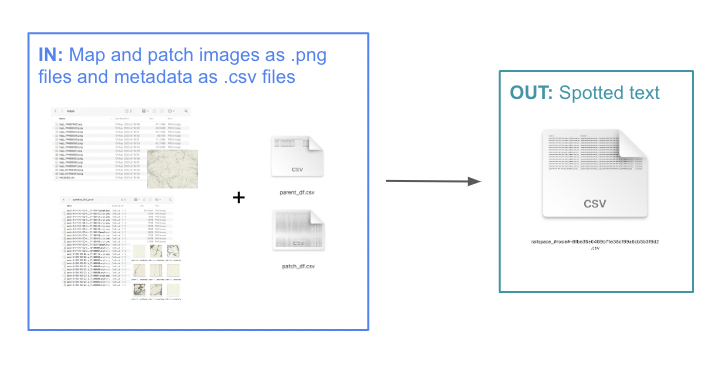
What are the inputs and outputs of the MapReader text spotting pipeline?
Download
Load
Spot Text